* With NachoPay:20% CASHBACK All Plans. 1st Year.Save up to $72/year
With any payment method:8% CASHBACK All Plans. 1st Year. Save up to $28.80/year
Redeem dealExclusive NachoNacho offer — must be redeemed through NachoNacho to qualify
Savings Summary:
Get 20% cashback on any FlexClip plan for your first year through NachoNacho when you pay with a NachoCard, saving up to $72/year. Without one, get 8% cashback, saving up to $28.80/year. For new account signups only; NachoNacho pays cashback directly. FlexClip is an online video maker and editor with templates, stock media, AI video generation, subtitles, and editing tools.
Deal eligibility requirements
New account signups only.
Discount is provided in the form of cashback directly from NachoNacho. For questions related to your discount, please reach out to us.
What is FlexClip?
An online video editing tool that allows users to create professional-quality videos without advanced editing skills. It offers video trimming, text animations, voiceover recording, and a library of stock video clips, photos, music, and sound effects. Customizable templates support videos for marketing, social media, presentations, and personal projects. AI tools can generate videos from prompts, articles, or URLs, create scripts and subtitles, turn text into speech, and translate videos. Teams can collaborate on projects, use shared branding assets, and access files in cloud storage.
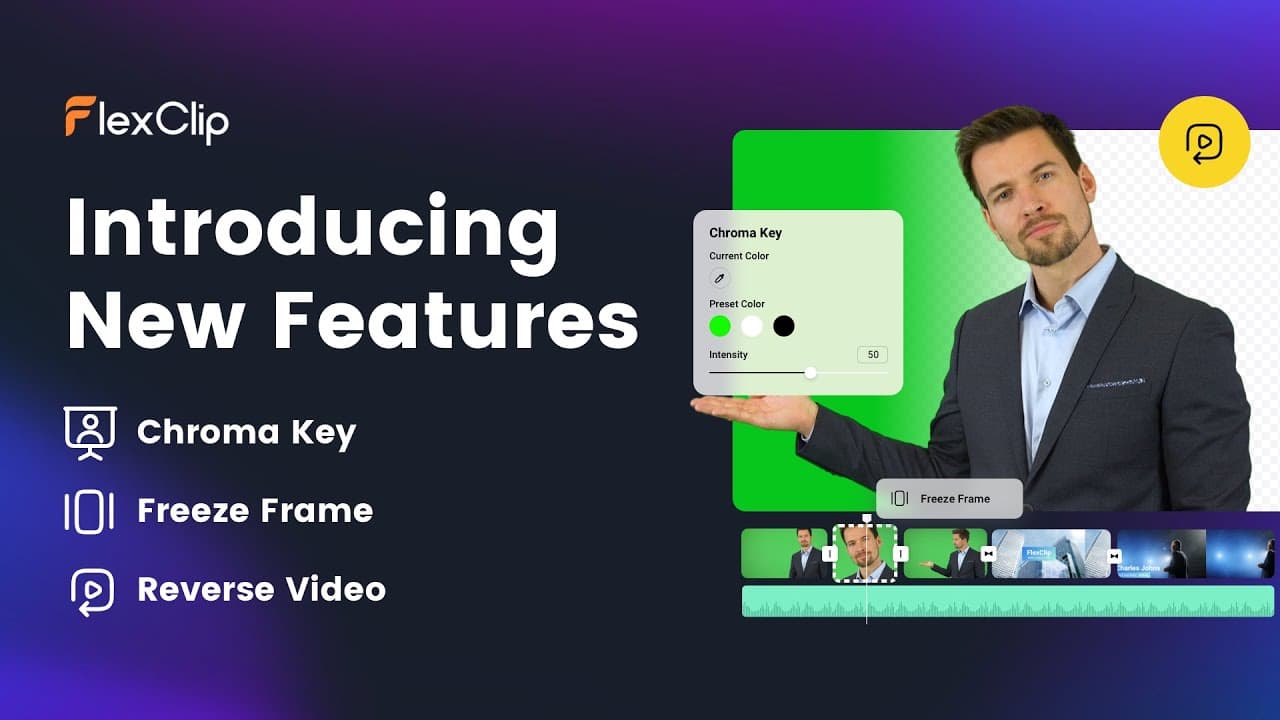
FlexClip screenshots and videos
https://www.youtube.com/watch?v=iiskPkWGR6U
Key benefits of using FlexClip?
Ease of Use: FlexClip offers an intuitive video editor for beginners and experienced users alike. Trim clips, add text and music, and create videos without advanced editing skills.
Versatility: Create marketing videos, social media content, presentations, tutorials, and personal projects using templates and editing tools suited to different formats.
Time Efficiency: Pre-designed templates and a stock media library help you get started quickly. AI tools can also turn text into video and generate subtitles.
Flexible Plans: A free plan lets you create and export videos within its limits. Paid plans add options such as higher-resolution exports, more stock media per project, and additional storage.
Team Collaboration: Shared workspaces let team members access projects and assets, contribute edits, and share brand resources. Team members cannot edit the same video simultaneously.
Browser-Based Access: Create videos online without installing editing software, and return to saved projects within your plan’s limits.
Consistent Branding: Paid plans include a Brand Kit for saving and reusing assets such as logos, fonts, and colors across projects.
FlexClip Features
Video Templates: FlexClip provides customizable templates for business promotions, social media content, presentations, weddings, birthdays, and other projects.
Video Editing Tools: Users can trim, split, merge, crop, rotate, and resize clips; adjust brightness, contrast, and saturation; and use picture-in-picture layers and curve speed. Text overlays, transitions, animations, filters, and effects offer further ways to customize videos.
Media Library: FlexClip includes stock video clips, photos, music, and sound effects that users can add to their projects.
Recording: Built-in tools let users record voiceovers, their screens, or their webcams directly in the browser.
AI Creation Tools: Users can generate videos from text, images, URLs, PDFs, and presentations; create AI images; and use text-to-speech to generate voiceovers. FlexClip also offers automatic subtitle generation, translation, and editing.
Export Options: Users can export videos in multiple aspect ratios and resolutions up to 4K, as well as export GIFs or audio.
Browser-Based Editing and Collaboration: FlexClip runs in a browser without a software installation and supports cloud storage and shared workspaces for teams.
How FlexClip pricing works
FlexClip bills individual video editor subscriptions as a flat plan fee, not per transaction. Plus includes Full-HD downloads and limits stock video and audio used in each project; Business adds 4K downloads and unlimited stock use. Both include AI credits. The Team plan adds collaboration and is billed per seat beyond its included seats.
Plus, Business and Team offer monthly or annual billing: monthly subscriptions renew each month, while annual subscriptions are paid for the year. Included AI credits follow the subscription’s billing cycle and do not roll over. FlexClip also sells standalone AI-credit subscriptions with monthly or annual billing; their credits are issued monthly, with a longer validity period on the annual option.
Minimum: the paid Team plan starts with 3 included seats, even if fewer people use it.
Additional Team seats cost extra once all included seats are assigned.
AI-credit overage requires a separate purchase: an AI Credits Plan or a one-time credit package. It is not described as an automatic usage charge.
The Free plan allows a limited trial of AI features, but restricts downloads to HD, video length, saved projects and stock assets per project. It does not provide watermark-free exports when you use resources beyond its limits. There is no free trial of a paid subscription; entering payment details and subscribing triggers a charge.
Get 20% CASHBACK with our exclusive FlexClip deal by subscribing from the NachoNacho marketplace. NachoNacho is the best way to buy SaaS with exclusive promo codes, coupons, and deals.
Innovative, scalable video tool - ideal for fast business growth.
KA
Kamari A.
Director of Marketing, USA
5.0
Great stock media library
The stock media library is very robust. A goldmine for sprucing up content without breaking the bank. For anybody looking to simplify video creation, this software is for you.
PL
Pat L.
CEO
5.0
Easy video editing
Thanks for a great experience, Flexclips! Compelling feature set, great price.
Frequently asked questions about FlexClip
FlexClip has a Free plan and paid subscriptions for individual editors and teams. Individual subscriptions charge a flat plan fee, while the Team plan charges for seats beyond those included. Paid plans offer monthly or annual billing. The Free plan limits downloads, video length, saved projects, and stock assets per project. FlexClip does not offer a free trial of a paid subscription.
FlexClip is designed for small teams that need to make videos without advanced editing skills or installed software. Templates, stock media, browser-based editing, and AI creation tools help teams produce promotions, social posts, presentations, and tutorials. Businesses with recurring content needs can use paid-plan branding assets to keep logos, fonts, and colors consistent across projects.
Choose FlexClip Plus if Full-HD downloads meet your needs and its per-project stock video and audio limits fit your workflow. Business adds 4K downloads and unlimited stock use, making it a better fit for projects that need higher-resolution output or draw heavily on stock media. Both plans include AI credits and offer monthly or annual billing.
Choose the FlexClip Team plan when multiple people need access to shared projects, files, and branding assets. The paid Team plan starts with three included seats, even if fewer people use them; additional seats cost extra once those seats are assigned. Team members can contribute edits through a shared workspace, but they cannot edit the same video simultaneously.
FlexClip is an online video editor for creating marketing videos, social media posts, presentations, tutorials, slideshows, and personal projects. You can start from a customizable template or build a video using your own footage and stock media. Editing tools let you trim clips, add text and music, apply effects, and export the finished project in different formats.
FlexClip can generate videos from text, images, URLs, PDFs, and presentations. Its AI tools can also create scripts and images, turn text into speech, generate and edit subtitles, and translate videos. These tools help teams move from source material to a draft video or prepare captions and voiceovers without doing every step manually.
Yes. FlexClip runs in a browser and includes tools for recording your screen, webcam, and voiceovers. You can then trim, split, crop, rotate, and resize clips, or add text, transitions, filters, and effects. Projects are saved in cloud storage, so you can return to them within your plan’s project and storage limits.
No. FlexClip teams can share a workspace, access projects and assets, and contribute edits, but two people cannot edit the same video simultaneously. The shared workspace is useful for passing a project between contributors and keeping files and brand resources together. If your workflow requires live, simultaneous editing of one video, account for that limitation.
The Free plan does not provide watermark-free exports when a project uses resources beyond its limits. It also restricts downloads to HD and limits video length, saved projects, and stock assets per project. If you plan to use more stock media or need higher-resolution downloads, compare the paid plans before building your production workflow around the Free plan.
FlexClip’s paid editing plans include AI credits that follow the subscription’s billing cycle and do not roll over. If you need more credits, you can purchase a separate AI Credits Plan or a one-time credit package; extra usage is not charged automatically. Standalone AI-credit subscriptions offer monthly or annual billing, with credits issued monthly.