DocuSign Promo Code
Deal eligibility requirements
- New accounts or renewals only, requires a minimum of 5 annual licences.
- Discount is provided in the form of cashback directly from NachoNacho. For questions related to your discount, please reach out to us.
What is DocuSign?
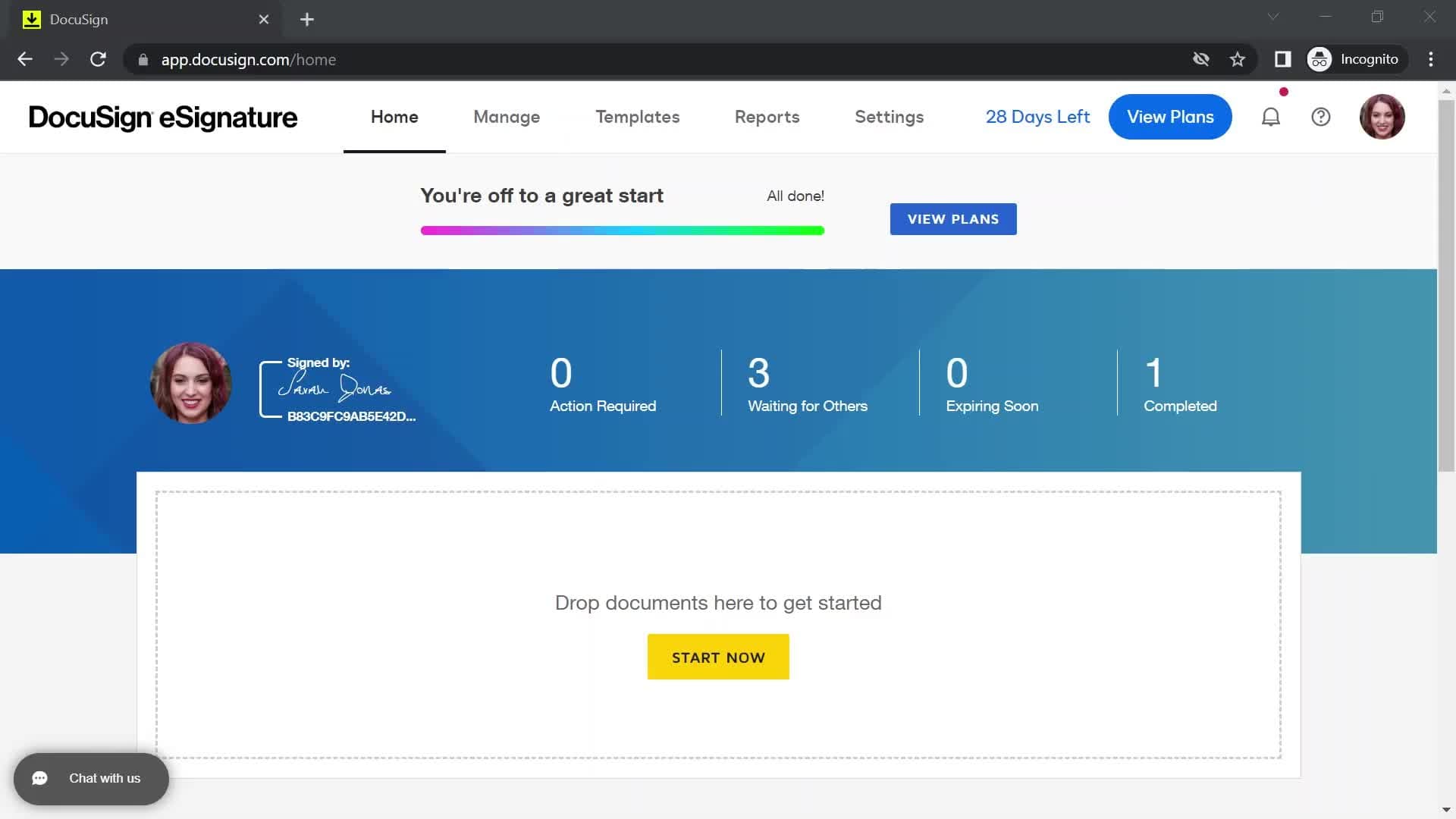
DocuSign is the world's leading electronic signature platform, offering a secure, legally-binding, and highly efficient way for individuals and businesses to sign, send, and manage documents digitally. At its core, it eliminates the need for printing, manually signing with "wet ink," scanning, and faxing paper documents, thereby drastically reducing turnaround times for agreements like contracts, offer letters, NDAs, and financial paperwork. As a cloud-based service, DocuSign can be accessed from virtually any internet-enabled device, improving convenience, cutting administrative costs, and supporting global, mobile-friendly business operations.
And this powerful tool is available on the NachoNacho marketplace with a 10% discount promo code for 5 Users+ on yearly plans. This can save you up to $1,800 per year.
The process of sending a document for signature begins when the sender uploads a document—typically a PDF, Word, or other common file format—to the DocuSign platform, which is often referred to as an "envelope." The sender then identifies the recipients by adding their names and email addresses, and critically, uses a drag-and-drop interface to place required fields onto the document, such as signature boxes, initials, dates, and text fields. The sender can also define a precise signing order and set authentication methods to verify the signers' identities, ensuring the document is routed and completed in a secure, predefined workflow.
Once sent, DocuSign notifies each recipient via email with a secure link to access the document. The signer does not need a DocuSign account to complete the process; they simply click the link, review the document, and follow the simple prompts to electronically apply their signature, which can be adopted through typing their name, drawing it, or uploading an image. This entire signing experience is designed to be intuitive and fast. Throughout the process, the sender can monitor the document's status in real-time, receiving alerts when it's viewed, signed, or completed, and sending automated reminders as needed.
The security and legal compliance of the completed document are fundamental to how DocuSign works. After all parties have signed, DocuSign permanently secures the document with a digital seal and generates a tamper-evident Certificate of Completion (also known as an Audit Trail). This certificate provides an in-depth, court-admissible record of the transaction, capturing critical data points like the signer's identity, email address, timestamps of signing events, and IP address, ensuring the electronic signature holds the same legal weight as a traditional handwritten signature under global regulations like the UETA and ESIGN Act.
Below you can find an overview of the available DocuSign discounts, its features, pricing, and how it compares to other alternatives.
Key benefits of using DocuSign?
Simple to use: For the sender, preparing a document is a quick drag-and-drop process, minimizing the administrative burden of traditional paper-based agreements. For the recipient, signing is even simpler, often taking seconds to complete on virtually any device, without needing to create an account. This intuitive design drastically cuts the friction and time involved in finalizing agreements, moving transaction turnaround times from days to mere minutes, which accelerates sales cycles and improves the overall customer and employee experience.
Secure document transfer: DocuSign protects documents using strong encryption standards (like AES 256-bit) both while they are in transit and while they are stored on secure servers. Crucially, once a document is signed, it is permanently sealed with a tamper-evident digital certificate, meaning any subsequent change to the document is immediately detectable. This process, combined with signer identity verification options (like access codes or phone authentication), provides a robust, legally sound audit trail that is far more secure and verifiable than a traditional wet-ink signature.
Document collaboration: Senders can easily define a precise signing order, ensuring that documents are routed to recipients sequentially or in parallel, depending on the business need. The system sends automated notifications when it's each party's turn to act and provides real-time visibility into the document's status. This prevents bottlenecks and confusion, ensuring that all necessary individuals—whether they are signers, approvers, or simply required to view the document—complete their required steps safely and securely within the designated sequence.
DocuSign Pros and Cons
DocuSign Pros
- Industry leader with widespread trust and acceptance.
- Excellent security and comprehensive audit trails (Certificate of Completion).
- Highly intuitive and simple user interface for both senders and signers.
- Strong legal compliance with global e-signature regulations (ESIGN, UETA).
- Robust mobile functionality for signing on any device.
- Advanced features like customizable signing workflows and templates.
- Extensive integration ecosystem with over 350 popular apps (Salesforce, Google, etc.).
DocuSign Cons
- Pricing can be complex and expensive, especially for higher-volume usage or advanced features.
- The required annual commitment can be restrictive for small businesses.
- Basic plans limit the number of envelopes (documents) sent per year.
- Signers are sometimes confused by the initial email notification/link.
- Occasional reports of slow customer support for standard plans.
- Advanced features are often reserved for enterprise-level tiers.
DocuSign Features
These are some of the core DocuSign features:
- File Type Support
- PDF Conversion
- Custom Tags and Fields
- Drawing
- Cloud Storage Integration
- PowerForms
- Supplemental Documents
- Data Validation
- Field Formatting and Logic
- Field and Document Markup
- Full Forms Functionality
- Templates
- Bulk Send
- Document Visibility
- Notifications
- SMS Authenticaion
- Federated Identity Authetication
- ID verification
- Knowledge-Based Authentication
- Accessibility
- Branding
- Share Access
- Offline Signing and Sending
- Fax-Back
- Payment Processing
- Real-time Status
- Signing Insights
- Certificate of Completion
- Audit Trail
- Watermarks
DocuSign Pricing
DocuSign Discount: Get 10% off for 5 Users+ on yearly plans. Lifetime.
DocuSign pricing is primarily based on a per-user, per-month subscription model with a significant discount offered for annual billing, and is tiered to match different feature sets and organizational needs. Plans range from the basic Personal plan, which is highly restricted by a low limit on the number of documents (or "envelopes") that can be sent per month, up to Standard and Business Pro tiers that are priced higher per user but unlock essential features like reusable templates, advanced workflow automation, and team collaboration. Crucially, higher-volume users on standard business plans must also be mindful of envelope usage limits (often 100 per user per year), as exceeding this threshold can trigger additional metered billing, while large organizations require a custom-priced Enterprise plan for unlimited use and specialized integrations.
Related software deals
Personalized software recommendations powered by AI.