* With NachoPay:15% CASHBACK All PlansSave up to $5,400/year
With any payment method:5% CASHBACK All Plans.Save up to $1,800/year
Redeem dealExclusive NachoNacho offer — must be redeemed through NachoNacho to qualify
Savings Summary:
New customers get 15% cashback on all monday.com plans through NachoNacho when paying with a NachoCard, saving up to $5,400/year; without one, they get 5% cashback, saving up to $1,800/year. Click “Redeem deal” before purchasing and use the same email for both accounts. monday.com’s customizable Work OS helps teams manage projects and workflows with views, templates, automations, and integrations.
Deal eligibility requirements
New customers only. This deal applies to first-time accounts with the software vendor.
All NachoNacho customers are eligible.
What is monday.com?
An AI work platform for managing projects, tasks, and processes across departments, it gives teams a shared place to plan work, assign ownership, and track progress. Customizable workflows, templates, apps, and integrations help teams collaborate and automate manual tasks.
Task assignments, notifications, and updates tied to each item keep communication connected to the work. Teams can plan and track projects using Gantt charts, timelines, and Kanban views, while dashboards provide a high-level overview of progress across boards. AI features can help teams organize work and add steps to their workflows.
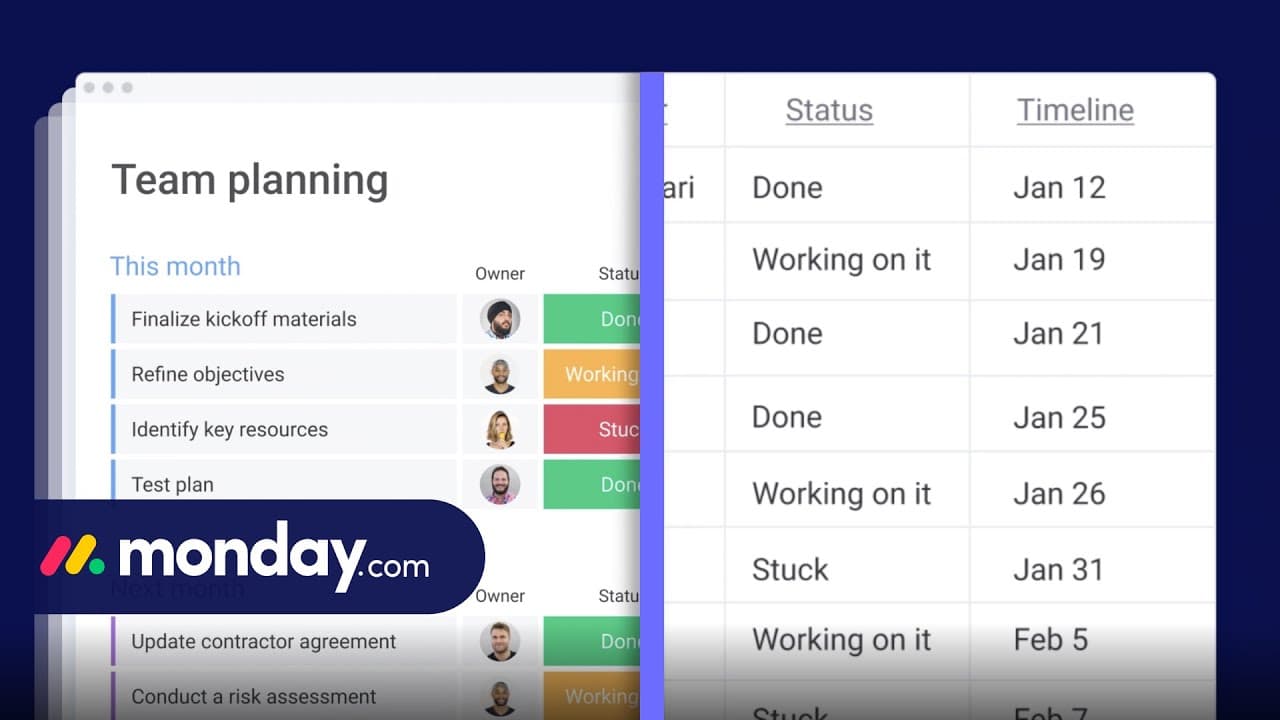
monday.com screenshots and videos
Key benefits of using monday.com?
Visibility: monday.com lets you track projects and tasks in one workspace. Customizable views and dashboards help teams see progress, priorities, timelines, and potential bottlenecks.
Easy to use and adapt: Get started with ready-made templates, then customize boards and views to suit each team’s workflow.
Customizable templates: Templates support work such as project planning, customer onboarding, contact management, and product development, so teams do not have to build every workflow from scratch.
Collaboration: Assign work, set due dates, share updates, and keep conversations connected to the tasks they concern.
Automations: Set up code-free reminders, notifications, task assignments, and other recurring steps to reduce manual work.
Integrations: Connect tools including Slack, Google Calendar, Gmail, and Microsoft Teams to keep information and workflows aligned across apps.
AI assistance: monday.com offers AI agents that can help with tasks such as reporting project status, identifying risks, and updating stakeholders.
monday.com Features
Boards and collaboration
Customizable boards, items, subitems, and columns
200+ templates
monday workdocs with real-time collaboration, comments, and embedded boards and documents
Item updates, mentions, file storage, and activity logs
Guest access and shareable forms
WorkCanvas visual whiteboards, available as an add-on
iOS and Android apps
Planning and productivity
Automations, integrations, and customizable notifications
Zoom integration for accounts on US servers
Workflow builder for processes spanning multiple boards
Formula and dependency columns
Time tracking
AI tools, including Sidekick, AI columns, AI agents, and the Vibe app builder
API access for custom apps and integrations
Views and reporting
Dashboards with reporting widgets
Kanban, timeline, Gantt, calendar, map, chart, and workload views
Portfolio and resource management
Pivot analysis and reports
Scheduled dashboard email notifications
Security and administration
Board, document, workspace, and account permissions
Private boards and docs; closed workspaces
Google authentication, single sign-on, and two-factor authentication
IP restrictions, session management, and SCIM provisioning
Content Directory, audit log, and panic button
SOC 2 Type II auditing and a HIPAA compliance program
Support
Customer support, knowledge base, tutorials, and webinars
Enterprise support with tailored onboarding and a 99.9% uptime SLA
Dedicated account management and customer success options, depending on account size
How monday.com pricing works
monday.com bills paid plans by feature tier and per seat, with seats purchased in groups rather than individually. Adding members can move an account into a larger seat group. For monday AI work platform, new customers also purchase AI credits alongside seats: supported AI usage is measured per credit, and more credits can be purchased as usage grows.
Self-serve plans offer monthly or annual billing. Monthly subscriptions are paid month by month; annual subscriptions are paid upfront for the year. No separate annual-only self-serve tier is listed. Enterprise pricing is available on request, as is a quote for larger teams.
Minimum: paid plans start at 3 seats, then move to larger seat groups.
Overage: AI use does not automatically incur a charge when credits run out; continuing requires a purchased top-up or a larger credit package.
Add-on: paid marketplace apps have separate subscriptions.
Implementation and tailored training services may cost extra.
The free work-management plan allows up to 2 seats but limits boards and items; it excludes guests, viewers, automations and integrations. The Pro trial ends after 14 days and cannot be extended. CRM, dev and service do not have that permanent free plan.
Get 15% CASHBACK with our exclusive monday.com deal by subscribing from the NachoNacho marketplace. NachoNacho is the best way to buy SaaS with exclusive promo codes, coupons, and deals.
We've been using monday.com to manage projects, and it's made collaboration much more organized. The customizable boards, automations, timelines, and dashboards make it easy to track tasks and keep everyone aligned. It adapts well to different workflows…
TH
Tyree H.
Project Manager, USA
5.0
Signed up to get the Monday.com discount
This streamlined collaboration and helped create crystal-clear project visuals. Whether you're managing a small team or coordinating across departments, this platform effortlessly fits like a glove. We always wonder "How did we manage before this?" monday.com…
JR
Johnathan R.
CEO, USA
4.5
Nice to see a good discount on Monday.com
The discount worked! Monday.com has streamlined our team’s workflows with customizable boards, automations, and integrations. It’s intuitive, visually appealing, and keeps everyone aligned. Great for project tracking, collaboration, and staying on top of…
NW
Nadia W.
Project Manager, USA
5.0
Best Monday.com discount I saw
Best in class CRM with useful artificial intelligence features. We're pleased with our discount from nachonacho and will definitely get more software here as the need arises.
LG
Leia G.
CEO, USA
4.0
Navigating the complexities of project management
monday.com offers neat project management tools but doesn't always hit the sweet spot. It's like that high-tech blender I bought—promises a lot but leaves you puzzled over some buttons. Setting up felt like solving a maze; not what I signed for. Yet, once you…
KC
Krista C.
CEO, USA
5.0
Big productivity booster!
Absolutely in love with monday.com! It transformed our team's workflow, boosting creativity and slashing deadlines. Solid gold for project tracking and collaboration. Easy to pick up, even for my less tech-savvy colleagues. A real unity tool for our diverse…
Frequently asked questions about monday.com
monday.com paid plans are priced by feature tier and seat group, starting at three seats. You can choose monthly billing or pay upfront for an annual subscription. Adding members can move your account into a larger seat group. New customers on the monday AI work platform also purchase AI credits alongside seats; Enterprise pricing and quotes for larger teams are available on request.
monday.com offers a permanent free plan for work management with up to two seats, plus a 14-day Pro trial. The free plan limits boards and items and does not include guests, viewers, automations, or integrations. It suits individuals and pairs testing basic task management; teams that need connected workflows or broader collaboration can evaluate those capabilities during the trial.
monday.com is a good fit for small teams that want to organize projects, assign owners, and adapt workflows without coding. Templates help teams get started, while boards, updates, and dashboards make work visible as it grows. A two-person team can start on the free work-management plan; growing teams should account for paid seat groups and the features they need.
monday.com and Asana both offer visual ways to plan and track projects, including Kanban boards, timelines, calendars, and Gantt charts. monday.com emphasizes customizable boards that teams can adapt for projects and broader business processes, alongside dashboards and code-free workflows. If you are comparing the two, test how each handles your actual process, reporting needs, and preferred way of organizing tasks.
monday.com is an AI work platform for planning projects, managing tasks, and coordinating processes across teams. You can use boards to organize work, assign ownership and due dates, and keep updates attached to individual items. Teams use it for work such as project planning, customer onboarding, contact management, and product development, with templates and customizable workflows for each process.
monday.com lets teams view work as Kanban boards, timelines, Gantt charts, calendars, maps, charts, and workload views. Teams can use these views to plan schedules, follow task progress, and see how work is distributed. Dashboards bring reporting widgets together for a higher-level view across boards, helping managers spot priorities and potential bottlenecks without checking every task individually.
monday.com connects with Slack, Google Calendar, Gmail, and Microsoft Teams to help teams keep communication and work aligned across tools. Integrations can connect external activity to board-based workflows, while notifications help people stay informed about changes. If integrations are central to your setup, choose a paid work-management plan: the permanent free plan does not include them.
monday.com boards organize work into items, subitems, and customizable columns, so teams can track owners, status, dates, and other details. monday workdocs provide a collaborative space for writing and discussion, with comments and embedded boards or documents. Teams can use a workdoc to develop a plan together, then keep execution visible on the board where tasks are assigned and updated.
monday.com supports code-free automations for recurring steps such as reminders, notifications, and task assignments. Its workflow builder can connect processes that span multiple boards, so teams can coordinate work beyond a single task list. This is useful when a process moves between departments or stages and people need updates tied to the work rather than handled through manual follow-ups.
monday.com uses AI credits to measure supported AI activity, including tools such as Sidekick, AI agents, AI columns, and AI workflows. New customers on the monday AI work platform purchase credits alongside paid seats. When credits run out, AI usage does not trigger an automatic overage charge; you can purchase a top-up or a larger credit package to continue using supported features.