50% for 3 months All PlansSave up to $510/yearRedeem dealExclusive NachoNacho offer — must be redeemed through NachoNacho to qualify
Savings Summary:
All NachoNacho customers signing up for a new QuickBooks account can get 50% off for three months on all plans, with estimated savings of up to $510 per year. QuickBooks helps businesses track income and expenses, send invoices, accept payments, and run financial reports.
Deal eligibility requirements
US customers only.
New account sign-ups only.
All NachoNacho customers are eligible.
What is QuickBooks?
Online accounting software for small businesses, startups, and freelancers helps you track money in and out, organize expenses, send invoices, and understand how your business is doing. Keep your finances in one place and use profit-and-loss and other reports to make more informed decisions.
Connect bank accounts and credit cards to import transactions and categorize expenses. Snap photos of receipts with the mobile app to keep records organized for tax time and identify potential deductions. Sync with other business apps to bring more of your work together.
Work takes time. Getting paid shouldn’t. Create branded invoices, track when they’re viewed and paid, and send automatic payment reminders. Customers can pay online when payments are enabled. AI-powered bookkeeping and insights, bill management, inventory tracking, and project profitability tools are also available, depending on the plan.
QuickBooks screenshots and videos
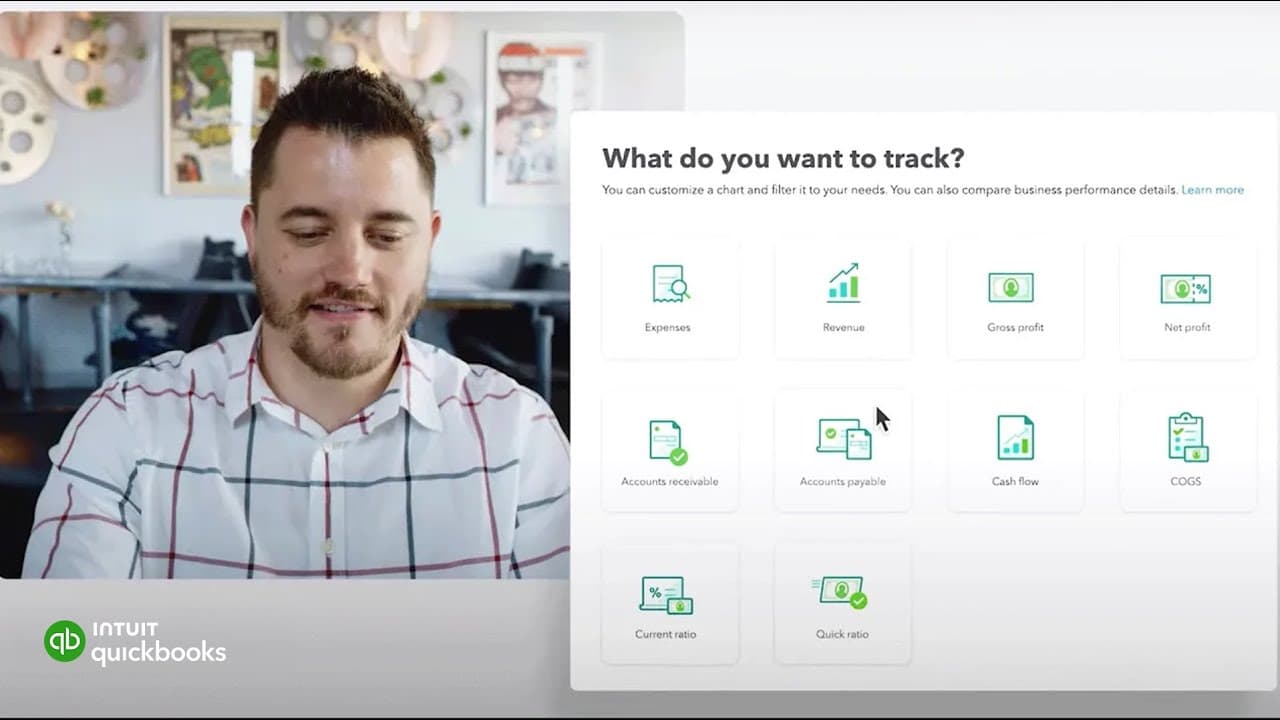
QuickBooks Online Advanced for Your Growing Business video
QuickBooks dashboard
QuickBooks auto payroll
QuickBooks transactions and live support
Key benefits of using QuickBooks?
Simplifies your processes: QuickBooks brings income and expense tracking, invoicing, payments, bills, and financial reports together in one place. Connect a bank account to import transactions, see how your business is performing, and keep records organized for tax time. Features vary by plan.
Reduces bookkeeping work: Paid plans can automatically categorize transactions, help identify tax deductions, and let you share your books with an accountant. QuickBooks also offers cash flow planning tools to help you look ahead.
Offers plans for different needs: QuickBooks has a free plan with basic tracking and reporting. Paid QuickBooks Online plans add capabilities as your business grows. Simple Start is listed at $38 per month, with a 50% discount for the first three months for eligible new customers who purchase instead of choosing the 30-day free trial. Offers and features are subject to change.
QuickBooks Features
Income and expense tracking with connected bank transactions and automated bookkeeping
Invoices, payment reminders, and online payments through QuickBooks Payments
Tax deduction tracking
Financial reports and dashboards, with custom report building in Advanced
Receipt capture and mileage tracking in the mobile app
Cash flow forecasting and projections
Sales and sales tax tracking
Estimates that can be converted to invoices
Contractor payment tracking and 1099 preparation; filing options may require a fee or an additional service
Bill management and bill pay
Employee time tracking and the ability to add time to invoices
Inventory tracking and purchase orders in Plus and Advanced
Project costs and profitability tracking in Plus and Advanced
Budget planning and financial scenario analysis; availability varies by plan and feature
Connected sales channels and third-party app integrations
Customer management tools, including leads, feedback, and appointment scheduling; availability varies by plan
Employee expense submissions in Advanced
Excel data sync, batch invoices and expenses, and customizable user access in Advanced
Workflow automation, backup and restore, and priority support and training in Advanced
Intuit Intelligence tools for bookkeeping, insights, and task automation; availability varies by plan, and some tools are in beta
How QuickBooks pricing works
QuickBooks Online charges a flat subscription by plan, not per seat. Simple Start includes 1 user, Essentials 3, Plus 5 and Advanced 25. A growing team must move to a higher tier when it exceeds its user limit; there is no separate seat minimum or extra-seat charge.
Monthly billing renews month to month; annual billing pays for the year upfront. Features depend on the plan, not the billing schedule—Intuit lists none as annual-only. Guided setup is included for new paid customers, but excludes data migration; ask Intuit about additional migration support.
QuickBooks Payments charges per transaction for processed card and bank-transfer payments.
Bill Pay Premium and Elite are paid add-ons, though Elite is included with Advanced. Checks and faster transfers carry transaction fees; current Bill Pay guidance says standard ACH has no overage fee.
Payroll has a base subscription and charges per employee.
Optional expert bookkeeping and additional migration support can cost extra.
QuickBooks Free has no time limit, but limits users, connected bank accounts, invoices and estimates. Enabling QuickBooks Payments can remove the invoice limit. It excludes accountant access, the mobile app and third-party integrations. The 30-day trial gives access to a selected paid plan, but does not cover add-on or employee fees; continued use requires a subscription.
Get 50% for 3 months with our exclusive QuickBooks deal by subscribing from the NachoNacho marketplace. NachoNacho is the best way to buy SaaS with exclusive promo codes, coupons, and deals.
I used to put off checking my business numbers until the end of the month. QuickBooks makes that less painful. I can see what’s come in, what’s gone out, and which invoices still need attention without digging through a pile of notes. The bank transactions…
TM
Terry M.
Small Business Owner, USA
4.0
Makes bookkeeping much less stressful
Been using QuickBooks for my small business and it does a lot right. Invoices are simple to send, expense tracking saves me time, and linking my bank was pretty smooth. The dashboard gives me a clear picture without digging through spreadsheets. A few menus…
JM
Johanna M.
Owner
5.0
The standard accounting tool
QuickBooks is a fantastic accounting software that is intuitive, easy-to-use, and quick to set up. The software provides a range of features like invoicing, expense tracking, and even payroll management. With QuickBooks, I can easily manage my business…
JR
Joaquin R.
Co-Founder, USA
5.0
The best accounting software
QuickBooks, you've got my back and five stars from me!
JF
Joel F.
Small Business Owner, USA
5.0
Can't live without it and it came with a great discount
Absolutely love QuickBooks! Made my life so much easier, especially come tax season. Their invoicing system is the best in the business. The dashboards are user-friendly, even for someone like me who's not an accounting whiz. Been using it for months now.…
SC
Sylvester C.
Accounting
5.0
Accounting Made Simple.
QuickBooks is a user-friendly and comprehensive accounting software that I would highly recommend to small and medium-sized businesses. I use this with all of my clients. The interface is intuitive, and the software offers numerous features, such as expense…
JR
Jim R.
Director of Accounting
5.0
Effortlessly manage your finances with QuickBooks!
QuickBooks is a versatile accounting software for those with little accounting experience. It helps us manage business financials such as invoicing, expenses, and tracking transactions on a single platform. QuickBooks saves time and reduces errors by…
SW
Skyler W.
CFO, USA
5.0
As a CFO I really appreciate the cashback every month
As a CFO I really appreciate finding this deal here. We get cashback every month which helps our startup save a bit. We've since bought other software here and moved over to their subscription management tool to save even more while giving me visibility into…
RO
Raegan O.
Co-Founder, USA
4.0
Support could be better
A solid 4 stars from me, because while it’s transformed my business routine, room for improvement in support speed is evident.
PG
Pranav G.
CEO, USA
4.0
Our accounting firm recommends it to all our clients
QuickBooks pretty much nails it! Setting it up for all of our clients is always a cinch, and managing invoices feels almost too easy now. Thanks for the discount Nachonacho
Frequently asked questions about QuickBooks
Yes. QuickBooks Online Essentials, Plus, and Advanced let you record employee or contractor time, mark it billable, and add those hours to customer invoices. You can review time by worker, customer, or unbilled hours before invoicing. This helps service businesses keep the hours they charge for tied to their customer records and accounting.
Your QuickBooks Online subscription covers the accounting features in your chosen plan, but some services cost extra. QuickBooks Payments charges per transaction when customers pay by card or bank transfer. Bill Pay can charge for mailed checks or faster transfers. Payroll and optional bookkeeping services have separate charges, so include them when comparing your total costs.
QuickBooks Online lets you set up contractors, track their payments, and use those records to prepare 1099-NEC and 1099-MISC forms. You can review payments and e-file forms through QuickBooks; filing fees can apply. Contractor details and payment history stay alongside your other bookkeeping, making it easier to check the amounts before preparing forms.
Yes. Paid QuickBooks Online plans let you invite an accountant to review your books, make corrections, and help with tax preparation. Accountant access does not use one of the business-user seats included with your plan. QuickBooks Free does not include accountant access, so you need a paid plan to collaborate directly in the same company file.
QuickBooks Online is Intuit’s accounting software for small businesses, startups, and freelancers. It brings income and expense tracking, invoicing, bank transactions, and financial reporting into one place. You can connect accounts to import transactions, monitor profit and loss, and add tools for bills, inventory, and project profitability as your business needs grow.
QuickBooks Free costs $0 per month with no time limit, while paid QuickBooks Online plans start with Simple Start at $38 per month. Free covers basic tracking and reports but limits invoices, receipts, and bank connections. You can try a selected paid plan for 30 days before subscribing. Payment processing and add-ons have separate fees.
Choose Simple Start for core bookkeeping and invoicing, Essentials for bill management and time tracking, Plus for inventory and project profitability, or Advanced for more extensive reporting and workflows. The plans support one, three, five, and 25 business users respectively. Consider both the tools your business needs now and how many people need access to the books.
QuickBooks Online Plus and Advanced include inventory tracking and project profitability tools. You can track product quantities and costs, create purchase orders, and compare project income with expenses and labor costs. Plus covers these core needs; Advanced adds more customizable reporting and project financial tools. Simple Start and Essentials do not include built-in inventory tracking or project profitability.
Yes. QuickBooks Online uses Intuit Intelligence to help automate bookkeeping and surface insights from your financial data. Depending on your plan, it can categorize transactions, flag issues, draft invoices for review, or help model cash-flow decisions. Continuous automated categorization is available in Plus and Advanced; Advanced adds more financial insight and workflow tools.
Yes. Paid QuickBooks Online plans connect with business apps through the Intuit App Marketplace. Shopify Connector by QuickBooks can bring sales, refunds, fees, and payouts into your books, while integrations for Square and Stripe support connected sales and payment workflows. QuickBooks Free does not include third-party app integrations, so connected workflows require a paid plan.