

Riverside


Deal eligibility requirements
- Valid for new Riverside subscriptions only.
- Offer cannot be combined with other discounts or promotions.
- Offer can not be used for our "Business" tier plans
What is Riverside?
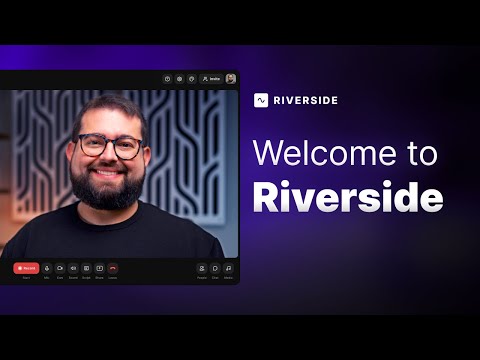
Riverside is a browser-based platform for recording, editing, and publishing professional-quality video and audio content. Unlike traditional video call tools, Riverside records each participant's audio and video locally, meaning the final output stays sharp and clear regardless of internet connection quality. When the session ends, everything uploads to the cloud automatically.
And now, through NachoNacho, you can get 30% off Riverside.
Beyond recording, Riverside handles the full content workflow in one place. AI-powered tools automatically clean up audio, remove filler words, generate transcripts in 100+ languages, and repurpose recordings into short clips, show notes, and social posts. It also supports live streaming to platforms like YouTube, LinkedIn, and Twitch, as well as webinar hosting, making it a solid all-in-one tool for creators, marketers, and teams who produce video content regularly.
Below, you will find more information about this Riverside promo code discount, features, pricing, and alternatives.
How does this Riverside discount work?
The NachoNacho deal gives you 30% off any monthly or yearly Riverside plan, saving up to $1,250/year. It's valid for new Riverside subscriptions only and applies to the Free, Pro, Live, and Webinar plans, the Business tier is excluded.
To redeem, click "Redeem deal" on this page and sign up using the same email associated with your NachoNacho account. The discount cannot be combined with other promotions, and is limited to one redemption per account.
Who is eligible for this discount?
This Riverside discount on NachoNacho is available to new Riverside subscribers only, covering the Free, Pro, Live, and Webinar plans.

Key benefits of using Riverside?
- Everything in one place: Record, edit, and publish without switching tools.
- Studio-quality from anywhere: Local recording keeps your sound and video sharp no matter your connection.
- Quick and simple editing: Make changes in minutes with text-based editing.
- More content, less effort: Turn one recording into clips, posts, and podcasts with built-in tools.
- Easy collaboration: Invite guests or teammates to join from anywhere, no software needed.
*Business plan features are not part of this offer.
Riverside Features
Recording & Quality
- Local, multi‑track recording: Riverside records each participant’s audio and video locally and then uploads the tracks to the cloud, giving studio-quality 4K video and 48 kHz/44.1 kHz audio independent of internet issues.
- Separate tracks: Separate audio and video tracks for every participant allow detailed editing and mixing. The free plan offers unlimited single-track recording and 2 hours of multi-track recording, while paid plans extend the multi-track allowance (for example, 15 hours per month on the Pro plan).
- Progressive upload & cloud storage: Tracks are uploaded during recording, so users can download uncompressed files immediately after sessions. Paid plans include unlimited storage and simultaneous recording for larger teams.
Editing & AI Tools
- Text-based editor: Users edit videos by editing the transcript; deleting words or sentences removes the corresponding audio/video. The editor colour-codes speakers and auto-creates chapters.
- Magic Audio & AI clean-up: AI tools normalise audio levels, remove background noise, filler words and silences and even adjust eye contact. Magic Audio ensures clean, studio-like sound.
- Magic Clips & AI Co-Creator: These AI features automatically create shareable short clips and can repurpose recordings into blog posts, social-media posts, thumbnails and more.
- AI show notes & captions: Riverside automatically transcribes recordings in 100+ languages and generates show notes, summaries and captions.
- Teleprompter: Hosts (and guests on business plans) can display scripts or notes on screen with adjustable pace.
Live Streaming & Webinars
- Live streaming: Paid plans include full‑HD (1080p) live streaming with multi‑streaming to YouTube, Facebook, LinkedIn, Instagram, X (Twitter) and Twitch. Users can add media (sound, videos, images) live via the media board and save them to their account.
- Audience engagement: Live streaming includes omnichat, live call‑ins, live‑stream chat and custom overlays/lower thirds for branding.
- Webinar hosting: The Webinar plan allows hosting up to 100 registrants, with features like pre‑recorded sessions streamed “as live,” unlimited sessions, registration and lead-capture forms, automated email reminders, Q&A and reactions and analytics with HubSpot integration. The Business plan scales webinars up to 10,000 attendees.
Collaboration & Control
- Producer mode & remote control: Producers can join without being recorded to manage technical elements, hide/show participants and control guest cameras/mics.
- Team collaboration: Business plans support unlimited production workspaces, roles/permissions, collaborative editing and API access for integrations.
- Asynchronous recording: Guests can record independently via a link; their files upload automatically without needing to send anything manually.
- Custom branding & layouts: Users can add logos, choose backgrounds and design layouts; business plans allow locking brand kits for consistency.
Additional Tools
- Podcast hosting & distribution: Riverside integrates podcast hosting; creators can publish directly to directories like Spotify.
- Mobile apps: Recordings can be made via iOS/Android apps with up to 4K quality, enabling portable recording setups.
Riverside Pricing
*Business plan not included in this promotion.
Plan and monthly price: ($0/month):
Free – Try Riverside and start recording quickly.
Key features:
Up to 720p video and 44.1 kHz audio; unlimited single‑track recording and editing; 2 hours of multi‑track recording; full suite of editing tools; Magic Clips; unlimited video calls with a Riverside watermark
Plan and monthly price: ($29/month or $24/month billed annually)
Pro – For creators and small teams who want professional results.
Key features:
Up to 4K video and 48 kHz audio; 15 hours per month of multi‑track recording and unlimited single‑track; teleprompter; no watermark; full suite of editing tools; unlimited text‑based editing; AI tools (Magic Audio, eye‑contact correction, unlimited transcriptions, removal of silences and filler words); AI repurposing agent; Magic Clips & show notes; live chat supportץ
Plan and monthly price: ($39/month or $34/month billed annually)
Live – For streamers and marketers who host live content.
Key features:
Includes everything in Pro plus full‑HD (1080p) live streaming; multi‑streaming to unlimited destinations (YouTube, Facebook, LinkedIn, Instagram, X & Twitch); custom RTMP; omnichat; live call‑ins and live‑stream chat; custom overlays and lower thirds; backstage speaker management for remote control
Plan and monthly price: ($99/month or $79/month billed annually)
Webinar – For anyone who runs online events or workshops.
Key features:
Adds webinar hosting for up to 100 registrants; ability to pre‑record and stream “as live”; unlimited sessions with no time limit; lead‑capture forms; custom registration forms; automated email reminders and follow‑ups; audience engagement tools (Q&A, call‑ins, reactions); analytics and HubSpot integration
Plan and monthly price: Business (custom pricing)
Key features:
Designed for large teams. Adds hosting for up to 10,000 webinar attendees; unlimited multi‑track recording; asynchronous recording workflow; simultaneous recording; unlimited storage; custom branding; producer mode; remote control of guests; teleprompter for host and guests; custom frame rates (24, 25 or 29.97 fps); presentation recorder; unlimited workspaces; custom roles; collaborative editing; non-destructive exports; API access; 24/7 priority support; personalised onboarding and customer success; producer on demand; enterprise-grade security with SSO and SOC2/ISO27001 certifications
This offer includes the Free, Pro, Live, and Webinar plans only.
Join thousands of creators who trust Riverside to make them look and sound their best.
Related software deals
Personalized software recommendations powered by AI.

Restream is the top multi-streaming platform that allows you to stream live to over 30 different platforms at once.

Zoom offers a communications platform that connects people through video, voice, chat, and content sharing.

Hassle-free webinar software. From remote employee trainings to hybrid all-hands.

Engaging and data-driven webinar platform built for marketers to drive revenue

CapCut offers powerful AI video and image editing tools for creating stunning content effortlessly.

beehiiv is a platform to create newsletters and websites, grow an audience, and monetize content
Riverside Discount Available

Riverside Reviews
